

Bluetooth hearing aids do two things that older models could not: they stream audio directly from a phone or TV into your ears, and they let you adjust settings through a smartphone app. For some people, those features make a noticeable daily difference. For others, they add complexity without much benefit. This guide explains how Bluetooth hearing aids work, what the main connection protocols mean, and when Bluetooth is and is not worth the extra cost and battery drain. It is part of our wider guide to hearing aids for seniors, which covers all styles and features.
What Bluetooth adds to a hearing aid
A standard hearing aid amplifies and processes sound through its microphones. A Bluetooth hearing aid does all of that and also:
- Streams audio from your phone directly to the devices (calls, music, podcasts, navigation)
- Streams audio from a TV via a separate accessory (most models)
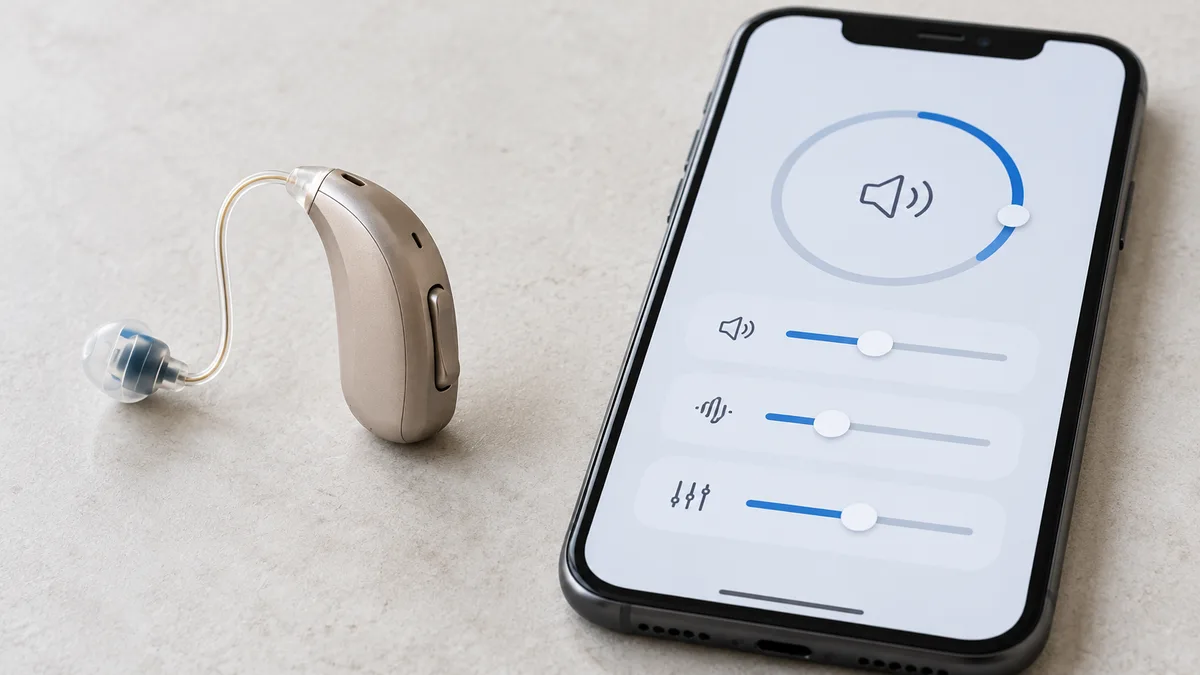
- Lets you adjust volume, switch listening programs and sometimes control directional microphones through a smartphone app
The streaming function is the one most people find genuinely useful. Phone calls in particular are clearer when the audio comes directly into both ears rather than through a phone speaker held to one ear.
This guide covers product features and specifications only. An audiologist can advise on which hearing aid features suit your specific situation.
The main Bluetooth protocols
Not all Bluetooth hearing aids work the same way. The protocol matters because it determines which phones the device connects to directly.
Made for iPhone (MFi) (Researched)
Apple developed the Made for iPhone protocol specifically for hearing aids. MFi hearing aids connect directly to iPhones using Bluetooth Low Energy (BLE) without requiring a separate intermediary device. Direct connection is available on iPhone 4S and later.
Good for: people who use an iPhone and want the most seamless audio streaming and app control. Limits: MFi hearing aids do not connect directly to Android phones. They may connect for basic functions via standard Bluetooth but without the full streaming or app features.
ASHA -- Android (Researched)
The Audio Streaming for Hearing Aids (ASHA) protocol is supported on Android 10 and later with compatible devices. It enables direct audio streaming from Android phones to hearing aids, similar to MFi for iPhones.
Good for: people who use a recent Android phone and want direct streaming without a separate relay device. Limits: ASHA compatibility varies by Android phone model and manufacturer. Not all Android phones that run Android 10 support ASHA -- check your specific phone model's compatibility.
Bluetooth Low Energy (BLE) (Researched)
Some hearing aids use standard Bluetooth Low Energy rather than a dedicated hearing aid protocol. This allows connection to a wider range of devices but typically requires an intermediary relay device (a small accessory worn around the neck or kept in a pocket) to stream from phones not natively compatible.
Good for: people who switch between different phones or devices, or who use phones that do not support MFi or ASHA. Limits: the relay device adds a step and something else to charge.
What the companion app does
Most Bluetooth hearing aids include a companion app. What the app offers varies by brand, but commonly includes:
- Volume adjustment (global or per ear)
- Switching between preset listening programs (quiet room, restaurant, outdoor, etc.)
- Adjusting the balance between microphone sound and streaming audio
- Tracking battery level
- Some apps include tinnitus masking sounds or hearing test features
The app is worth testing before committing to a device. Some apps are well-designed with large text and simple controls; others are dense and difficult to navigate. If the app is how you manage your devices daily, its usability matters as much as the hardware.
TV streaming: what to know
Most people assume Bluetooth hearing aids will connect directly to their television. Most of the time, they will not.
TVs use Bluetooth audio profiles (A2DP or aptX) that are not compatible with hearing aid protocols. A hearing aid expects hearing-aid-specific Bluetooth; a TV transmits general audio Bluetooth. They typically do not speak the same language.
The solution most brands offer is a TV streamer accessory: a small device that plugs into the TV's audio output and transmits to the hearing aids using the hearing aid's own protocol. The accessory adds cost (typically $100 to $250 separately) and a device to manage.
Some newer TVs are beginning to include hearing aid-compatible Bluetooth, but this is not yet standard. Check your TV's specifications before assuming direct connection will work.
Battery impact: the honest trade-off
Bluetooth streaming uses significantly more power than standard amplification. A device rated for 24 hours standard may last 14 to 18 hours with several hours of streaming per day.
The key questions before buying:
- What are the rated streaming hours (not just standard hours)?
- Does the model use rechargeable or replaceable batteries?
- If rechargeable, does the charging case include a portable power bank function?
For a full comparison of rechargeable vs. battery-powered hearing aids and what the specs mean in practice, see our guide to rechargeable hearing aids.
When Bluetooth is worth it
Bluetooth is useful if you:
- Make or receive frequent phone calls and want clearer audio
- Watch TV regularly and want to hear it at a comfortable level without raising the volume for everyone else
- Use a smartphone comfortably and want app-based control of your devices
Bluetooth is less useful if you:
- Rarely use a smartphone or prefer managing your hearing aid manually
- Prioritize battery life over streaming features
- Find app-based management adds complexity you do not want
What to compare before buying
Four questions narrow the choice:
- Is it compatible with my phone? Check the specific phone model, not just the operating system. MFi for iPhones, ASHA for Android -- and confirm ASHA is supported on your specific Android model.
- What are the streaming hours? Get the streaming figure from the spec sheet, not the standard use headline number.
- Does TV streaming require an accessory? If TV is a priority, confirm the accessory cost and whether it is included.
- Have I looked at the app? Search the app name in your phone's app store and read recent reviews before buying. App quality varies enormously.
Frequently Asked Questions
Do Bluetooth hearing aids work with both iPhone and Android?
Not always. MFi hearing aids connect directly to iPhones. Android uses the ASHA protocol, supported on Android 10 and later but not on all phone models. Some hearing aids support both protocols; check compatibility with your specific phone before buying.
Do Bluetooth hearing aids drain the battery faster?
Yes. Streaming typically reduces battery life by 4 to 6 hours. Always check the manufacturer's streaming hours figure, not just the standard use figure.
Can I control my hearing aids with my phone?
Yes, if the hearing aid includes a companion app. Most Bluetooth models do. The quality and usability of the app varies significantly by brand.
Do I need a TV streamer with Bluetooth hearing aids?
Most TVs require a separate TV streamer accessory to connect to hearing aids. Some newer TVs include hearing aid-compatible Bluetooth, but this is not yet standard. Check your TV's specifications.
One thing to try this week
Check which phone you use and look up whether it supports MFi (iPhone) or ASHA (Android). If you use Android, search "[your phone model] ASHA hearing aid compatibility" to see if your specific model is on the compatibility list. That one check will tell you whether direct streaming is even possible with your phone before you look at any hearing aid models. For a full overview of hearing aid types and features, see our guide to hearing aids for seniors.
Product information from public manufacturer specifications, not medical advice.
Sources
- FDA, Over-the-Counter Hearing Aids: fda.gov/medical-devices/hearing-aids/otc-hearing-aids-what-you-should-know
- FCC, Hearing Aid Compatibility: fcc.gov/consumers/guides/hearing-aid-compatibility-wireline-and-wireless-telephones